
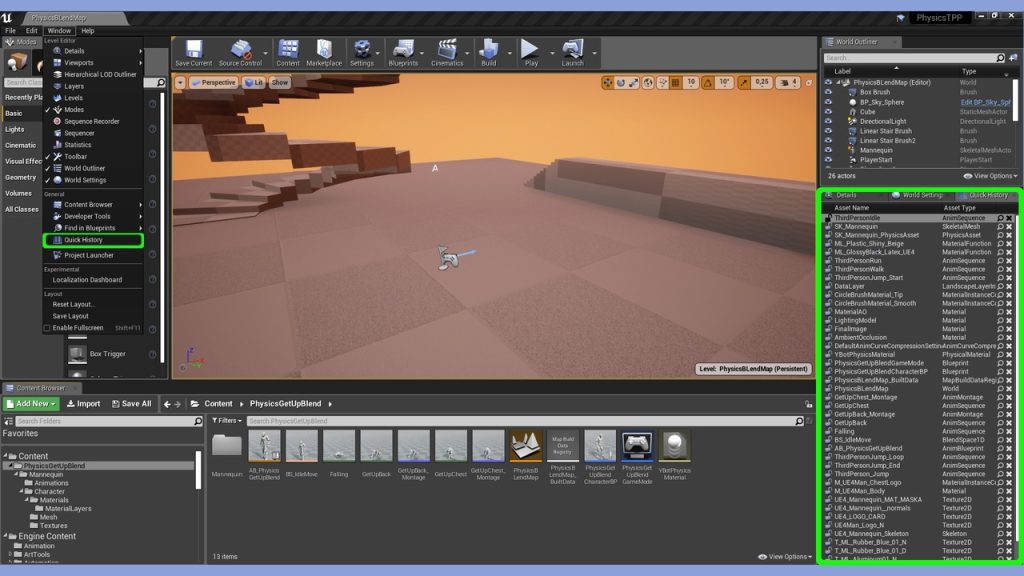
Quick History is an editor extending plugin, implementing fast access to asset browsing history. It removes necessity of browsing each time for assets that you are currently working with, event after stopping editor from debugger level, as history is recording dynamically not only on proper editor closing.
Plugin offers pinning of assets you are working with, working just like favorites, letting you build list of currently working set. Plugin allows for quick jump to asset in content browser, filtering by type and search.
Now available for Unreal Engine 5
Documentation
Work Flow Example Video
Features:
Quick access to asset browsing history.
Great addition to editor content browser, more needed the more asset you have in project.
Light and faster alternative for editor recently opened assets with unlimited history.
Ads possibility to pin history entry, working similarly as favorite.
Browsing button for quick jump to asset in content browser.
Drag and drop for working list manipulation.
Search in browsing history.
Filter by type in browsing history.
Work with Work Sets. Work sets allow you to create list of entries associated with <0-9> numbers, that can be open simultaneously or entries can be sorted by them. With that you can group and open all needed assets you want to work with in current task, even with corresponding level map, with one shortcut.