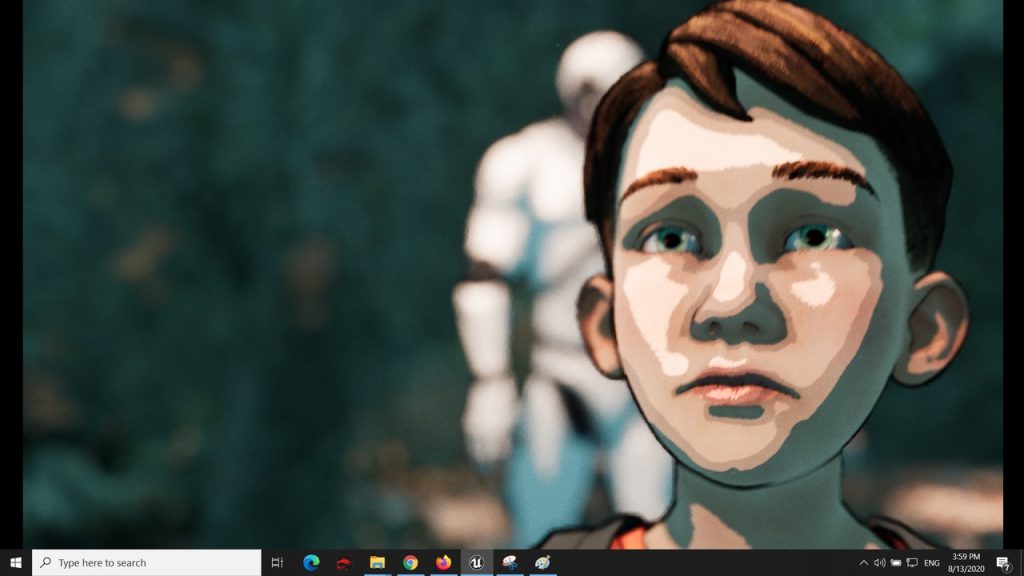
Animated Video showing the stylizing power of the post process material
Overview video
Video showing the effect of each parameter
Documentation path: Content\CelToonOutlinePP\CelToonOutlinePP_Doc.pdf
For Beginners: Video on how to apply a Material To Post Process Volume
Important:
This note is for levels containing translucent objects or objects with complex materials, like skin translucency or particles. For those levels, I recommend you to use, from this product, a post-process material based on GBuffer color and rendered before translucency.
To do so you can create a material instance from one of the following materials: NK_M_CelToonOutlinePP_GBufferCol_BeforeTransl, NK_M_CelToonOutlinePP_3TransGBufferCol_BeforeTransl, or use an existing material instance provided by this product and its name contains: ‘GBufferCol’ and ‘BeforeTransl’.
The mentioned materials also work for simple levels.
The Domain of use:
Only deferred rendering.
Only desktop platforms as target. Build tests performed only on Windows 64 bit.
Notes:
If you want in addition a painterly effect, please check out: Painterly Cel Toon Outline Post Process Material
If you want in addition the cel bands to take effect on volumetric clouds, please check out: Stylize And Fine Tune Post Process Material
Features:
Cel shading: able to choose between 2 or 3 shade transitions with customizable dark and light colors.
Outline: normal and depth outline. Color, thickness, and distance fading are customizable.