
ComboMeter is an Unreal plugin, I’ve developed for my own game. It’s similar to many of the combo counter/guage we have seen in our favourite action games.
Features(TL;DR)
- ComboMeter and Widgets
- Stage Clear Rankers and Widgets
- Save BP Functionality and Widgets
5.6 Update complete.
The player will be ranked based on the variations he/she executed taking into account of repetitions. Also the move executed can be weighted to differentiate between light, medium and heavy attacks.
Here’s a quick overview of the plugin – YouTube
Official Discord support – Please leave a comment in the comment section with your user name. I’ll add you to the server.
NEW FEATURES ADDED –
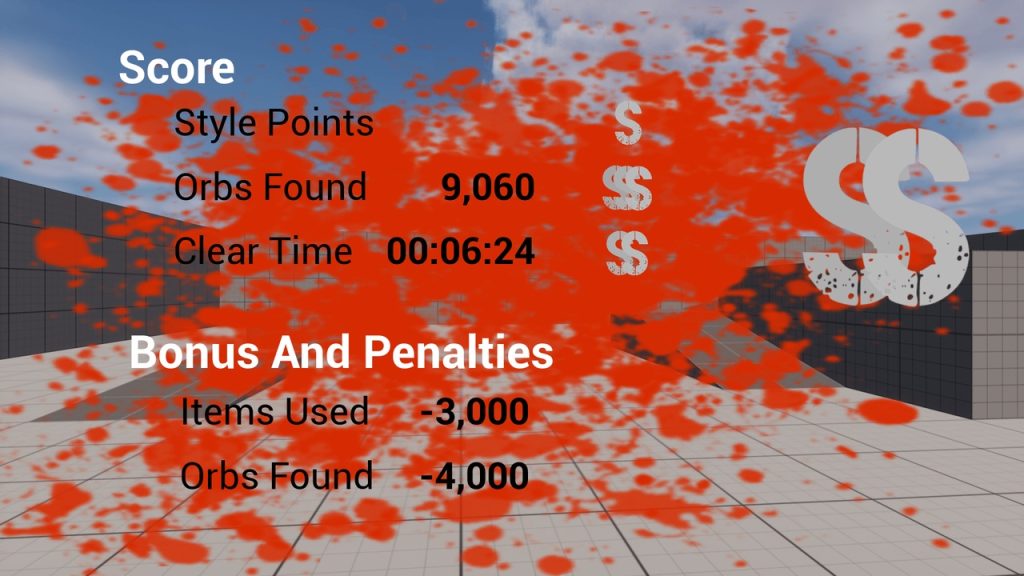
- Ranking Screen – Delivered(5.2 completed. 5.1.1 Completed. See Version v Feature to find the feature list)
- Save Functionality and Widgets added – Save mechanics per Level per Difficulty settings(Easy, Normal – what have you) along with widgets for showing the saved player stats added. Everything is easly customizable. Working example already present in the plugin itself. Separate detailed documentaion will be provided soon. See the Demo here.
- Music Integration – As we cannont publish one plugin dependent on other user plugins, the code plugin for audio visualization is available at itch.io
You can easily customize the plugin to suit your game without ever leaving blueprints and dig deep in the C++ overriding only the aspect you need, if you wish to do so.
Easily customize the rank, fill and damage textures with blueprint API. The plugin comes with a default implementation of the ComboMeter that you can readily consume customizing properties on the component to make it suit your needs. Also comes with an implementation for Ranking and Scoring the player based on the ranks he/she achieved during gameplay.
It’s designed to be extensible and event driven for ease of integration.
Rank Screen Update –
Customizable Rank screen available as part of the update for 5.2.0. Documentation
Detailed documentation with step-by-step instruction on usage can be found at – https://sites.google.com/view/wmatrix/world-matrix-games-home-page?authuser=1
Credits:
Font used for creating the Rank texture – https://www.fontspace.com/nebulous-font-f28659
Version and Feature details:
Click here for the version and feature details